



By using this site, you agree to the Privacy Policy and Terms of Use.
Accept
Gun GravyGun GravyGun Gravy
Notification Show More
Font ResizerAa
  • Home
  • Latest News
  • Firearms
  • Tactical
  • Videos
Reading: I Got Tired of Manually Adding USPSA Matches to My Calendar, So I Built Match2Cal — and It’s Free
Share
Font ResizerAa
Gun GravyGun Gravy
  • Latest News
  • Firearms
  • Tactical
  • Videos
Search
  • Home
  • Latest News
  • Firearms
  • Tactical
  • Videos
Have an existing account? Sign In
Follow US
Gun Gravy > Latest News > I Got Tired of Manually Adding USPSA Matches to My Calendar, So I Built Match2Cal — and It’s Free
I Got Tired of Manually Adding USPSA Matches to My Calendar, So I Built Match2Cal — and It’s Free
Latest News

I Got Tired of Manually Adding USPSA Matches to My Calendar, So I Built Match2Cal — and It’s Free

Jim Flanders
Last updated: April 8, 2026 11:35 pm
Jim Flanders Published April 8, 2026
Share
SHARE

Key Takeaways

  • Match2Cal simplifies adding USPSA matches to your calendar by pulling details directly from PractiScore pages.
  • This free tool automatically sends match information to Google Calendar, Apple Calendar, or provides an ICS file.
  • Users can quickly install a Chrome extension for easy access on desktop, with support for other browsers forthcoming.
  • Match2Cal works on mobile through a bookmarklet, making it accessible on iPhone and Android devices.
  • It costs nothing and requires no account, streamlining the process of managing match details.

Estimated reading time: 3 minutes

If you shoot USPSA, you already know that adding a match to your calendar means opening it up, typing in the match name, figuring out the date, hunting down the address, and doing it all manually. Every single time. I got tired of that about five minutes in, so I built Match2Cal instead.

I built something to fix that.

Meet Match2Cal

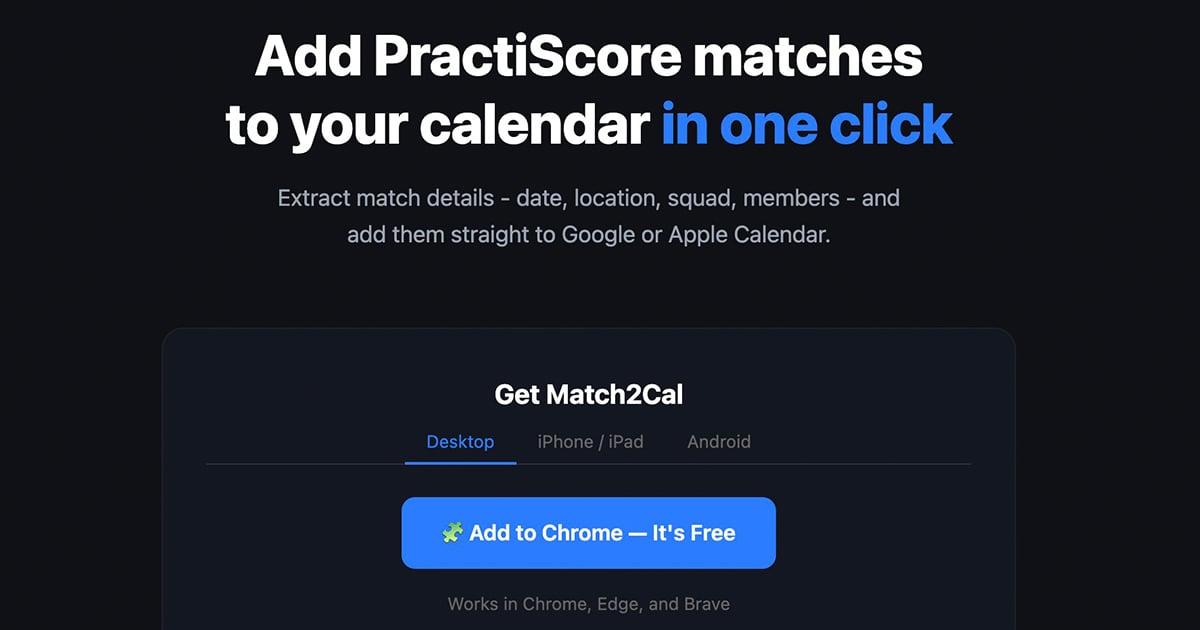
Match2Cal is a free tool that reads your PractiScore match page and sends everything — match name, date, location, your squad number, your squadmates — straight to Google Calendar, Apple Calendar, or an ICS file you can import anywhere. The whole process takes about five seconds.

No account. No app to download. No typing anything manually.

Add your first match now at match2cal.com.

How It Works

Navigate to any match page on PractiScore.com — whether it’s the public registration page or your personal shooter page after you’ve signed up — and click the Match2Cal button. That’s it. You’ll land on a page showing your match details with three buttons: Apple Calendar, Google Calendar, and Download ICS.

If you’re already registered and squadded, Match2Cal pulls your squad number and every squadmate’s name, division, and class directly from the page and drops it all into your calendar event description so you have everything you need in one place.

Available as a Chrome Extension

The easiest way to use Match2Cal on desktop is the Chrome extension, available now in the Chrome Web Store. Install it once and a small calendar icon lives in your toolbar. When you’re on a PractiScore page, click it — done.

Install the Match2Cal Chrome Extension here.

It works in Chrome, Edge, and Brave. A Firefox extension is also available and a Safari extension for Mac and iPhone is in the works.

More from USA Carry:

Works on Your Phone Too

If you’re browsing PractiScore on your iPhone or Android device, Match2Cal has you covered with a bookmarklet — a small piece of code you save as a bookmark in your browser. Visit match2cal.com on your phone for step-by-step instructions to set it up in about two minutes.

It’s Completely Free

Match2Cal costs nothing. There’s no premium tier, no account to create, and no data collected. It does one thing and it does it well.

I built this because I shoot USPSA and I’m too lazy to manually add matches to my calendar. If you’re the same way, you’ll love this.

Read the full article here

You Might Also Like

Five Democrats Cross Over as House Votes to Block Credit Card Tracking of Gun Buyers

An Oregon Man Fired Back at an Intruder. By the Time Police Arrived, Two People Were Down.

Armed Robber Shoots Fayetteville Smoke Shop Clerk, Steals His Gun and Runs

Flying with Guns: Episode 60 – Southwest from New Orleans to Las Vegas

Federal Judge Upholds Massachusetts Handgun Ban for 18- to 20-Year-Olds, Rejecting NRA and SAF Challenge

Share This Article
Facebook Twitter Email Print
Leave a comment

Leave a Reply Cancel reply

Your email address will not be published. Required fields are marked *

We Recommend
Norfolk Neighbor Shoots and Kills One of Four Loose Dogs After a Woman Says She Was Attacked and Bitten in the Street
Latest News

Norfolk Neighbor Shoots and Kills One of Four Loose Dogs After a Woman Says She Was Attacked and Bitten in the Street

Jim Flanders Jim Flanders September 12, 2026
Memphis Man Attacked at Home By Two Men Wrestles Gun Away From Intruder Who Said ‘Watch This,’ Then Shoots Him
CRY HAVOC OFFICIAL TRAILER
Danger Close | Peter Bergen
Why is Full-auto Illegal?
Amazon Sells NOW – 10 ULTIMATE Home Defense Weapons!
Two Permits, Zero Recognition: Long-Haul Trucker Asks Supreme Court to Strike Down Minnesota’s Refusal to Honor His Florida and Georgia Carry Licenses
Latest News

Two Permits, Zero Recognition: Long-Haul Trucker Asks Supreme Court to Strike Down Minnesota’s Refusal to Honor His Florida and Georgia Carry Licenses

Jim Flanders Jim Flanders September 11, 2026
Third Circuit Rejects New Jersey’s ‘Catch-22’ and Revives NSSF Challenge to Gun Industry Liability Law After State Sued Glock
Latest News

Third Circuit Rejects New Jersey’s ‘Catch-22’ and Revives NSSF Challenge to Gun Industry Liability Law After State Sued Glock

Jim Flanders Jim Flanders September 11, 2026
How to CARRY YOUR KNIFE for SELF DEFENSE #selfdefense #knife #tacticalrifleman  #shorts
Videos

How to CARRY YOUR KNIFE for SELF DEFENSE #selfdefense #knife #tacticalrifleman #shorts

Tactical Rifleman Tactical Rifleman September 11, 2026
  • Videos
  • Tactical
  • Latest News
  • Firearms
2024 © Gun Gravy. All Rights Reserved.
Welcome Back!

Sign in to your account

Username or Email Address
Password

Lost your password?